The Video Library is your in-app archive of all recorded and saved videos — including analysis captures, imported clips, and regular training footage.
Previously, Athlee videos were saved only to the iPad’s Photos app. Now, with the built-in Video Library, you can organize, filter, and manage your footage directly inside the app.
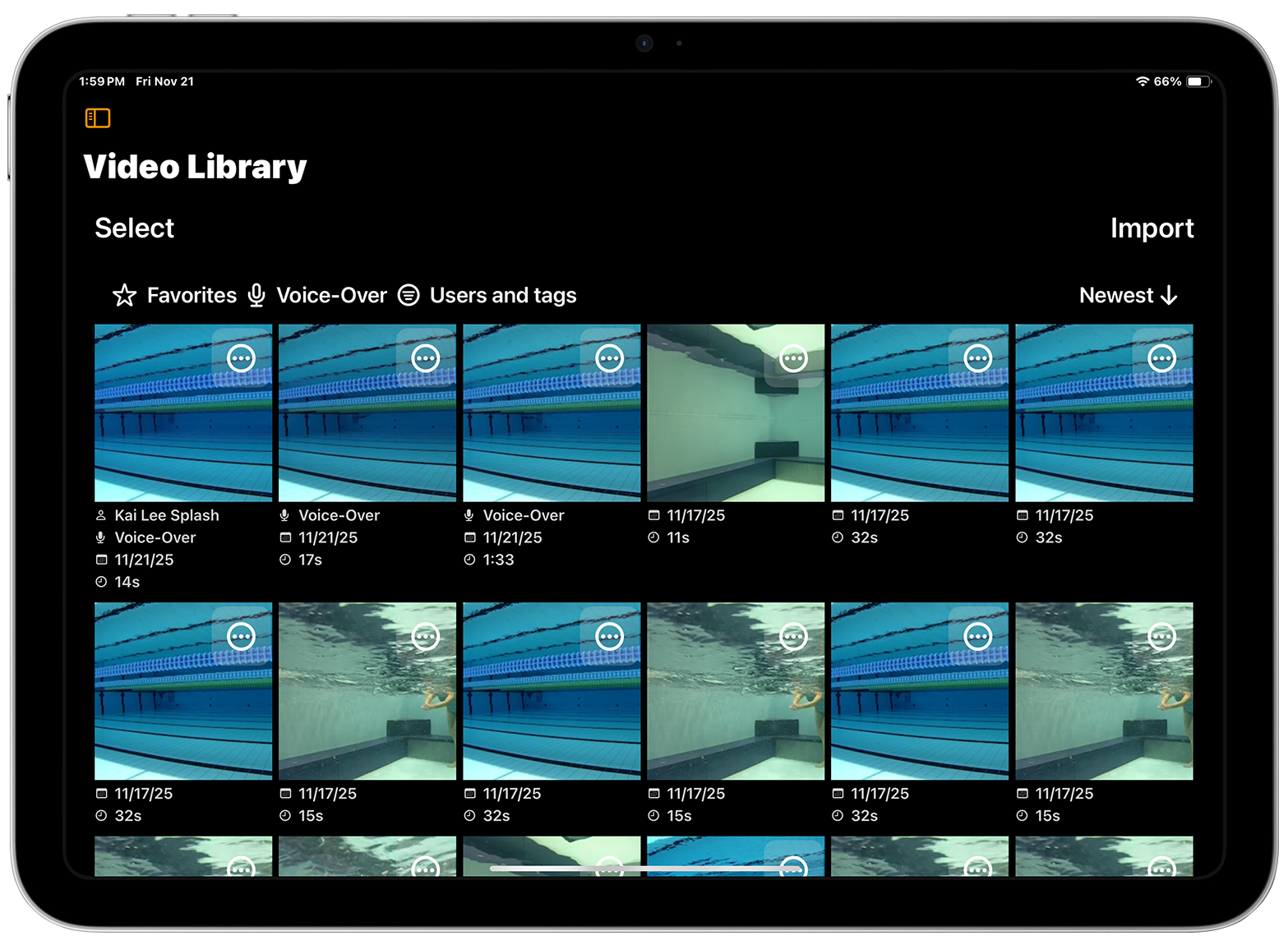
Filter Your Videos
At the top of the screen, you can narrow down your view using three filters:
- Favorites – View only videos you’ve marked as favorites
- Analysis Captures – Show videos that include annotations and voice commentary
- Users and Tags – Filter by swimmer name, stroke type, or custom tags. How to Use Tags and Users.
What You See on Each Video
Each video card in the library shows:
- Swimmers and tags (if any)
- “Analysis Capture” label if the video includes recorded feedback
- Recording date & and video length
- A three-dot menu for more actions (Share, Favorite, Export, Duplicate and Delete)
Opening a Video
Tap any video to open it in the Analysis View. From there, you can:
- Watch in slow motion or frame-by-frame
- Use annotation tools
- Trim and tag the video
- Record an Analysis
Selecting Multiple Videos
Tap Select in the upper left to choose one or more videos at once. This lets you:
- Share several videos at once
- Export to the iPad’s Photos app
- Delete in bulk
Importing Videos from the Photos App
Tap Import to bring in videos from the iPad’s Photos library. Important: Videos might be stored in iCloud and not downloaded to your iPad. To make sure imports work correctly, connect your iPad to Wi-Fi before starting.